PC broke after an update
Published at 2025-12-28
Size: 2
This is mostly a test of a second blog page but you can read this anyways. Maybe this will help somebody some day, who knows?
So, yesterday I updated my packages via yay and my display manager no longer loaded. I check dmesg for any errors, and there is one. My bootloader partition failed to unmount and some stuff could be corrupted. It also advised to run fsck
This is outside my usual area of knowledge of the operating system so I procrastinated for almost two days. I didn't have to use it during that time so it wasn't a problem, but I knew I had to fix it some day so why not now?
The problem with running fsck is that the partition must be unmounted before it can try to fix anything and, well, that's the problem. It didn't. I flashed a USB with an Arch install ISO and ran fsck there. In my case the command was:
# fsck /dev/nvmen0p1
It showed that that partition differed from the backup. I didn't change anything in the bootloader recently, so I chose to restore the backup
After a reboot the display manager didn't show up but the error went away. So I just went to the display manager's documentation and just reenabled its autoloading. Boom. Done
But what I also saw is an insane new background available from the update:
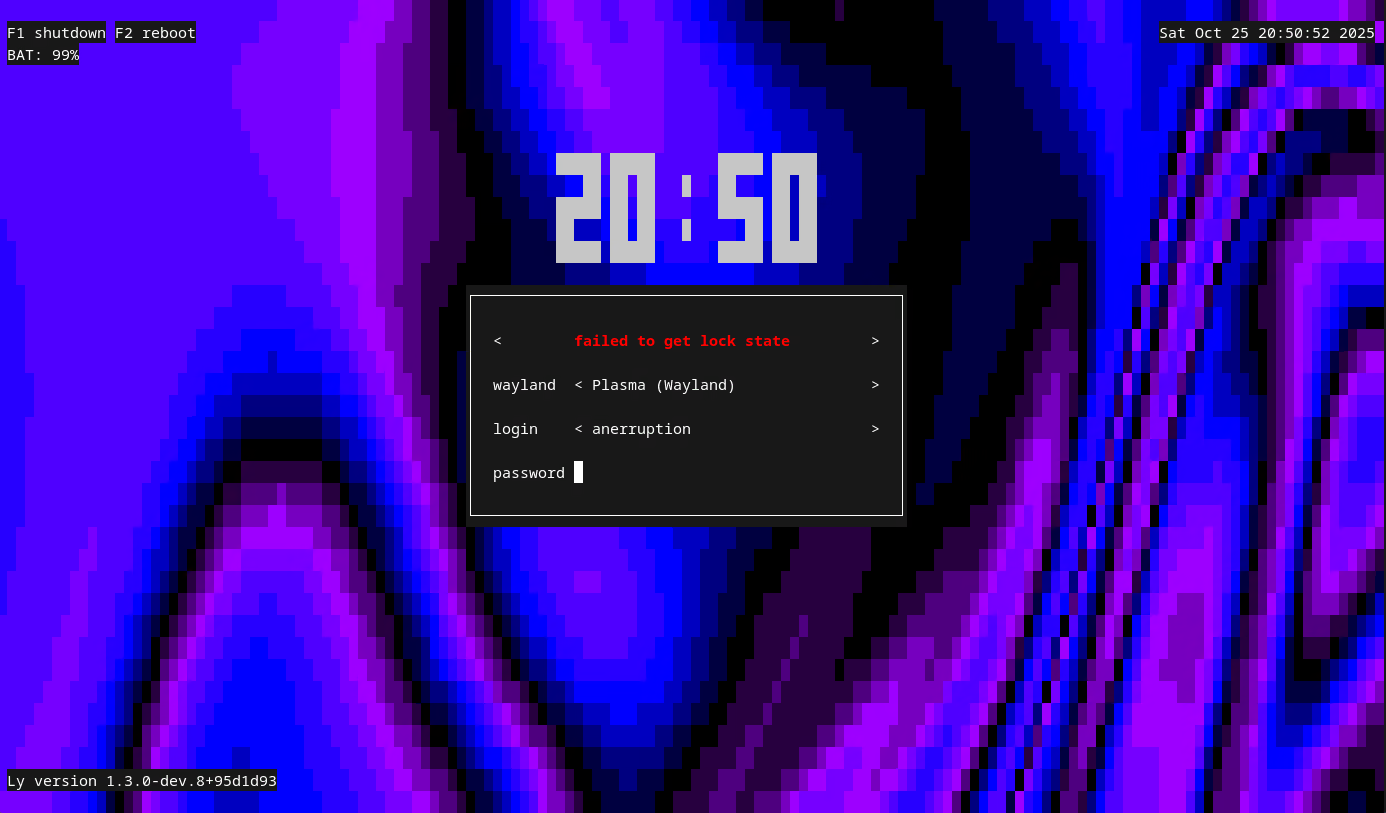
Isn't that the most beautiful user interface you've ever seen? And it moves, too! If the file's modified, pacman creates a new file with a .pacnew extension. So I trash my previous config and move to the new default one by running
# cp config.ini.pacnew config.ini
And modify it a bit and boom! I got myself a swaggy and shiny display manager!
Don't think about how the last part is connected to the first issue and you'll be mostly fine